

CA Secure

Every door and elevator button, within reach.

Open accessible doors, call elevators and press transit buttons from your phone, hands-free.

Get CA Secure

Download on the App Store Get it on Google Play

Free for iPhone and Android. No account, no ads, no tracking.

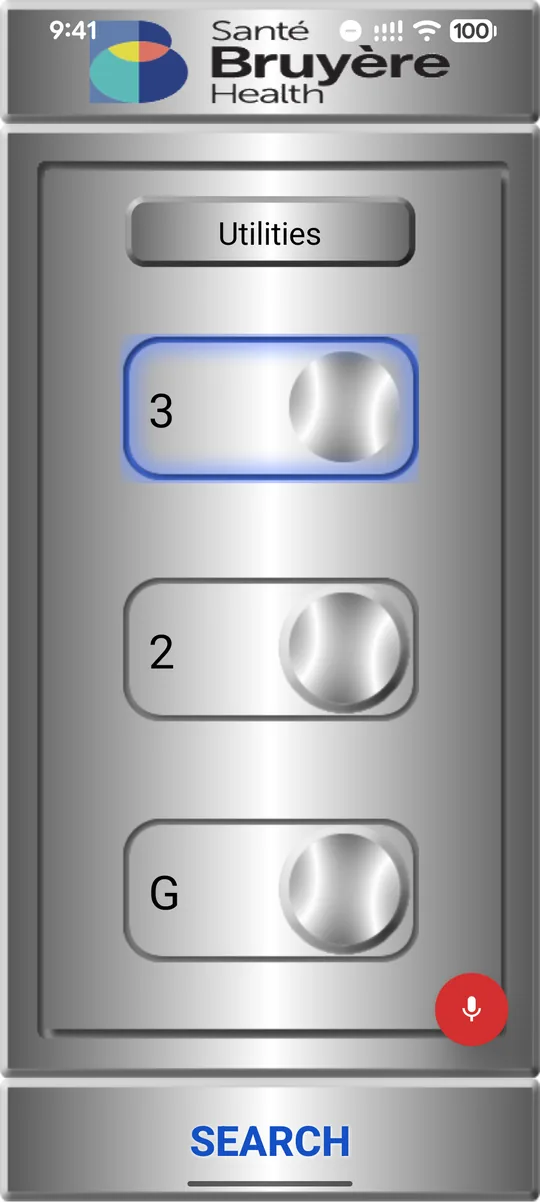
CA Secure on an Android phone at Bruyère Health: floor buttons 3, 2 and G with floor 3 pressed, and the microphone button.
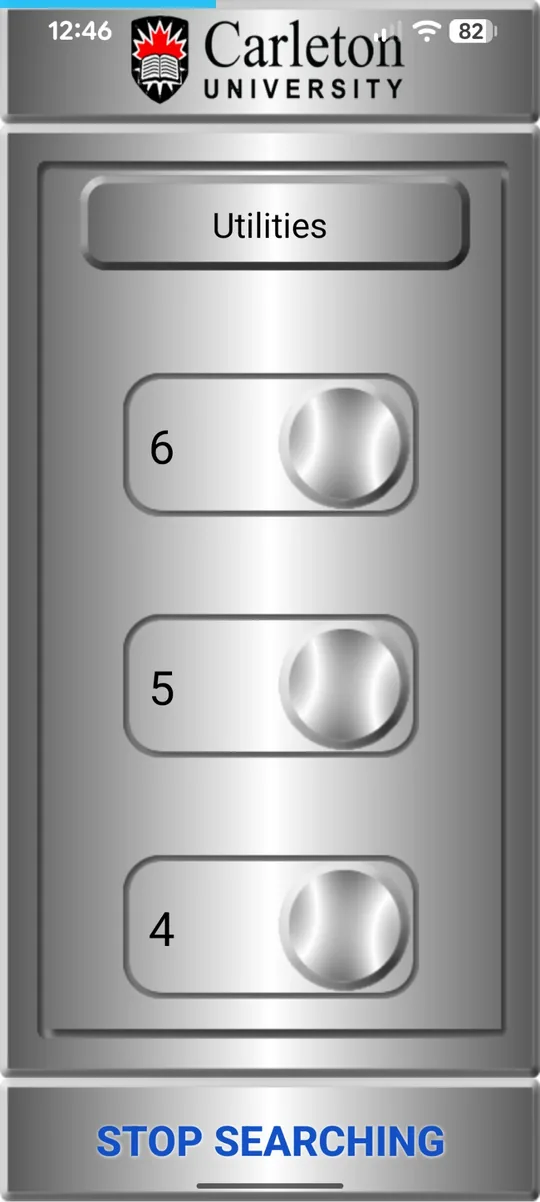
CA Secure on an Android phone at Carleton University, showing an elevator panel with large buttons for floors 6, 5 and 4.
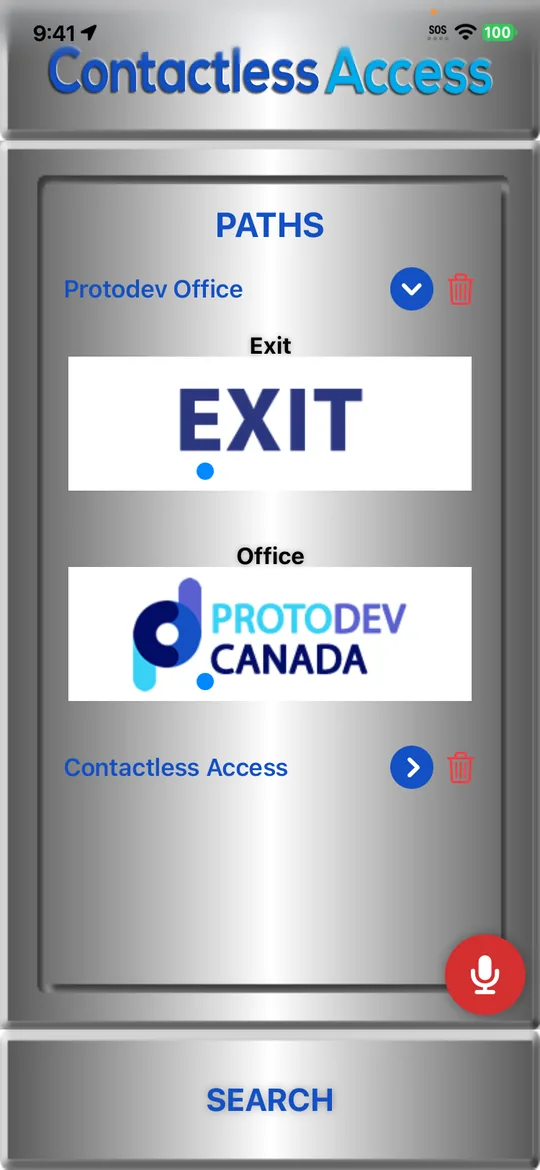
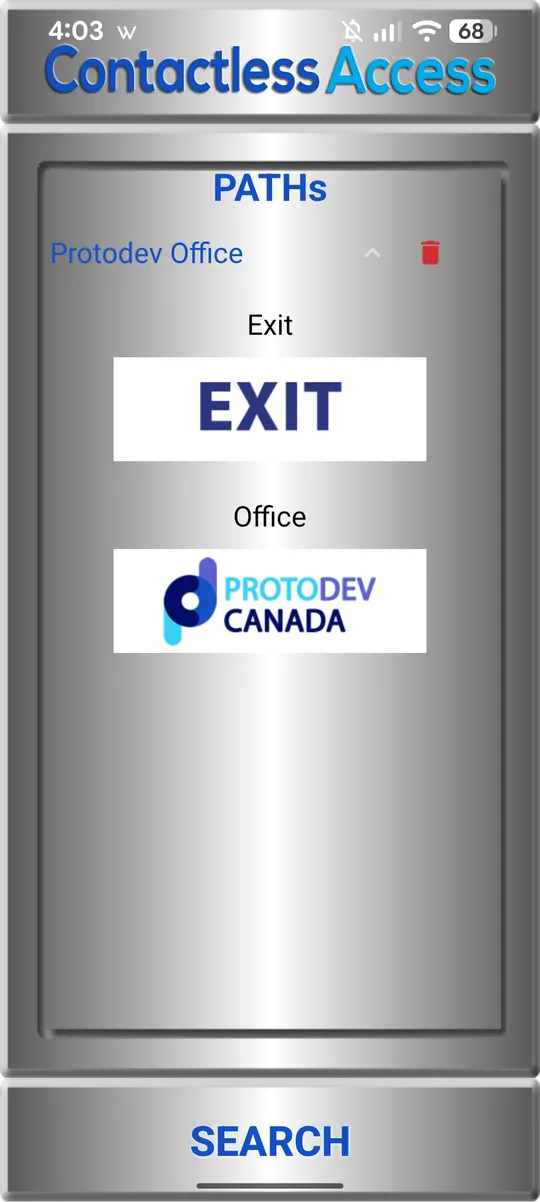
Paths screen on an iPhone for Protodev Office, with an Exit path and an Office path.
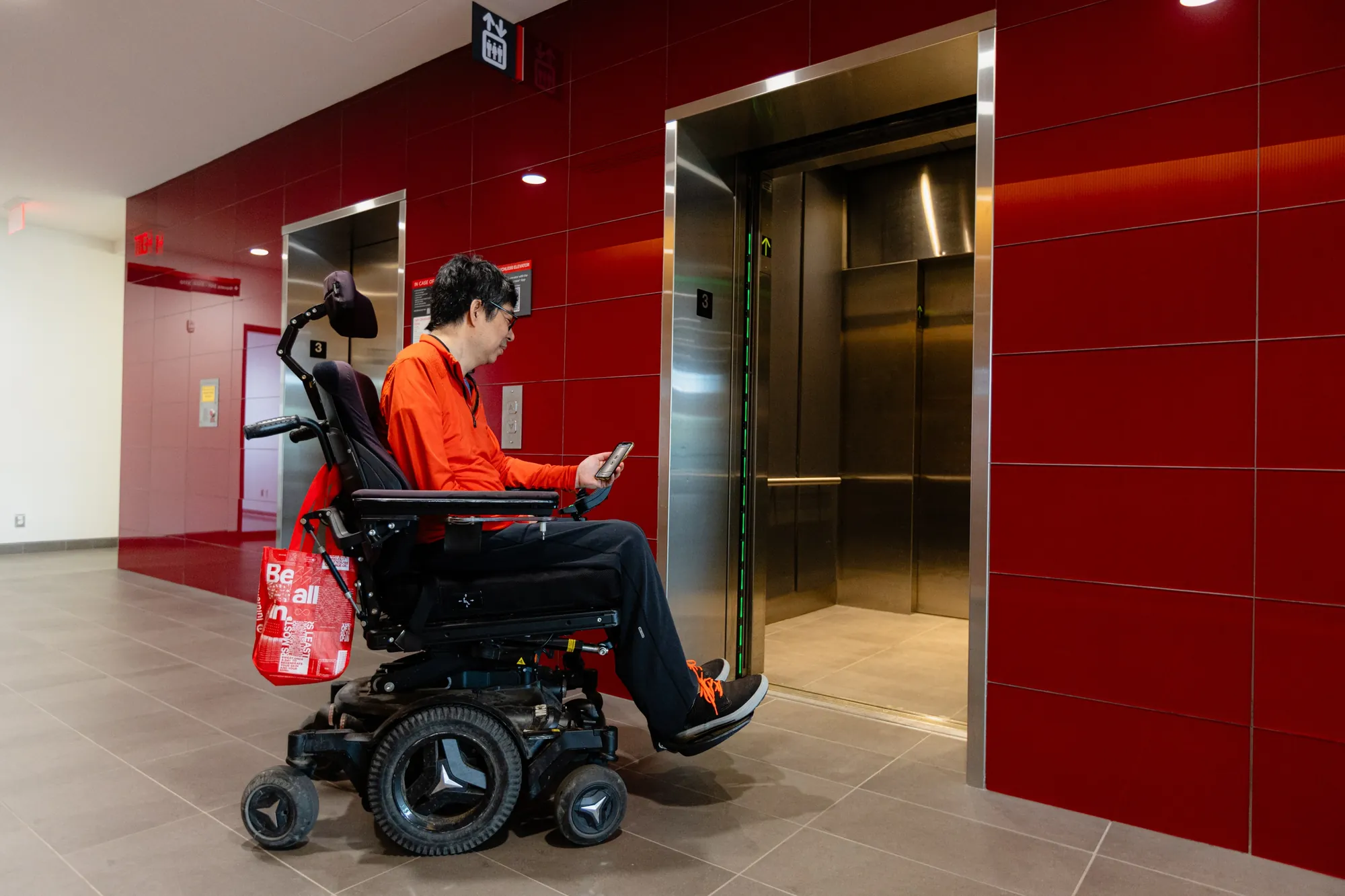
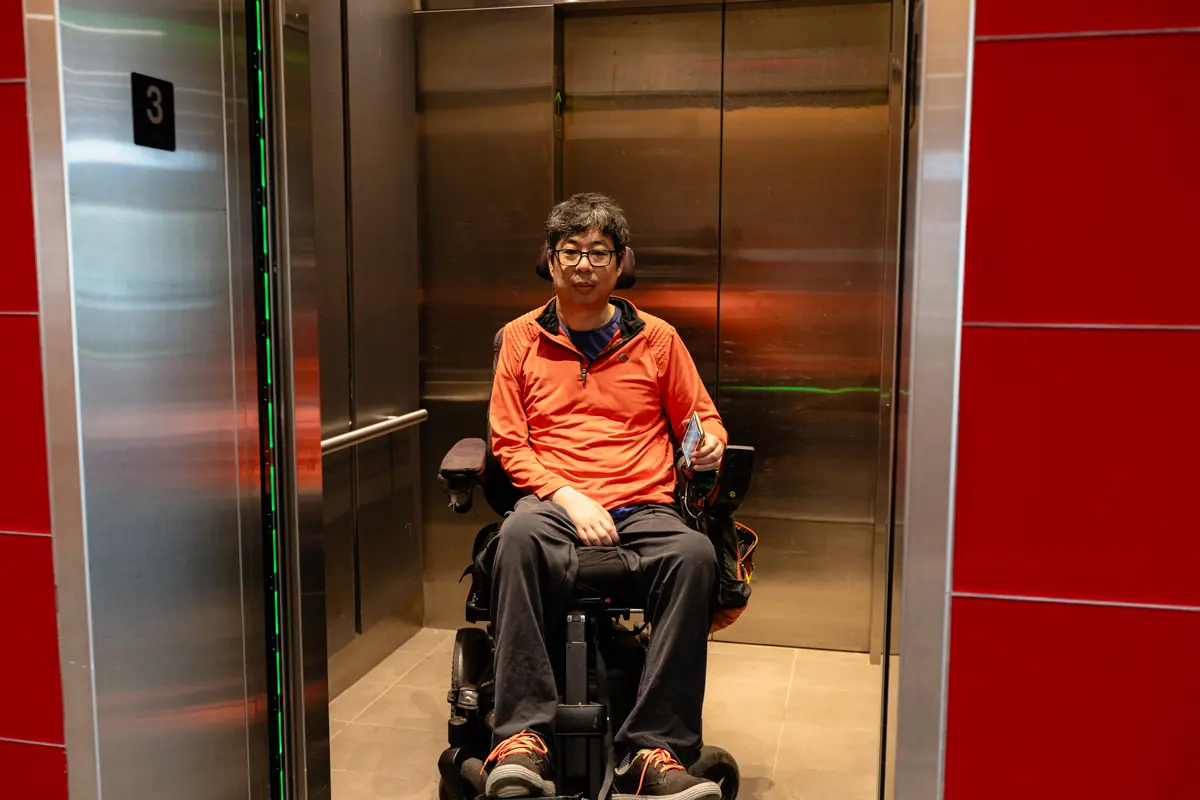
A man in a power wheelchair at an open elevator, using CA Secure on his phone.

Independence at every door.

No reaching, pressing or searching for buttons. CA Secure presses them for you.

Three ways to press

Tap. Speak. Or just arrive.

Wherever Contactless Access devices are installed, the doors and elevators around you become large, clear buttons on your phone.

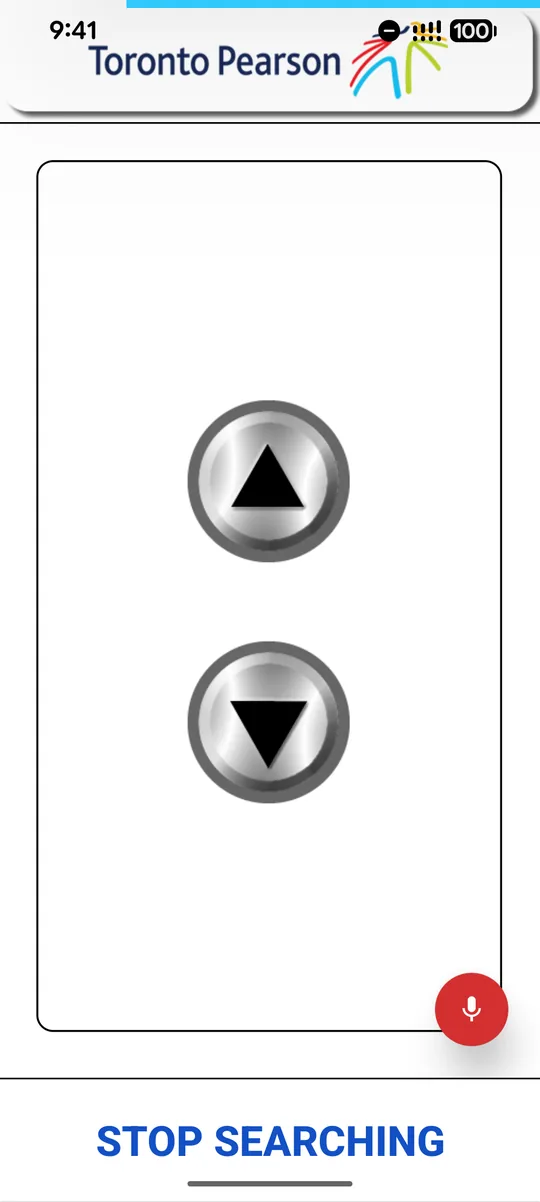
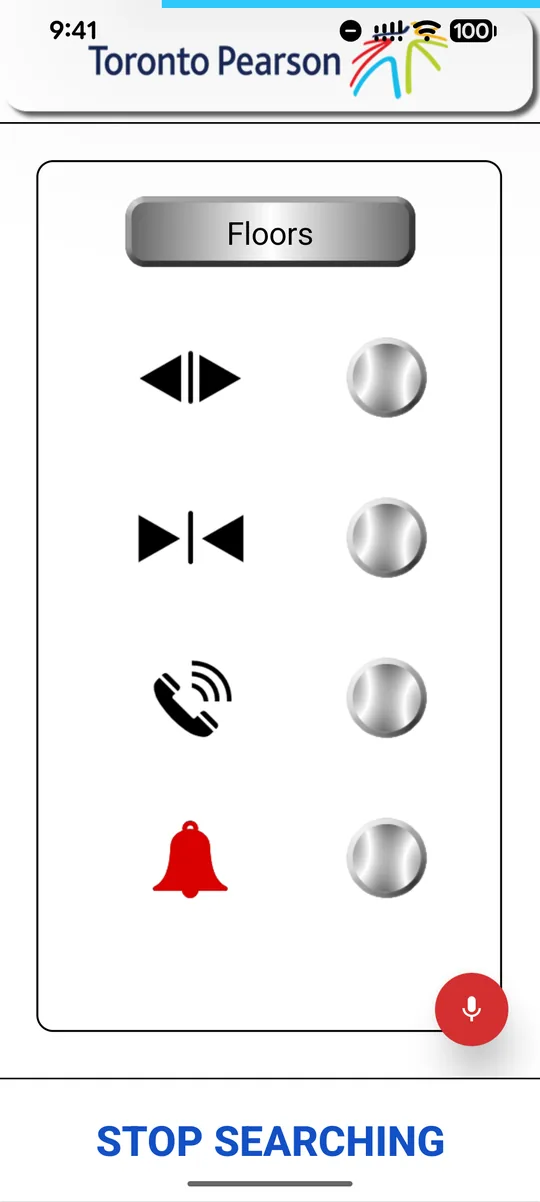
Elevator hall call screen on an Android phone at Toronto Pearson Airport, in high contrast, with large up and down arrow buttons.

Tap

Call the elevator, choose your floor, open the door. Every button is large and clear.

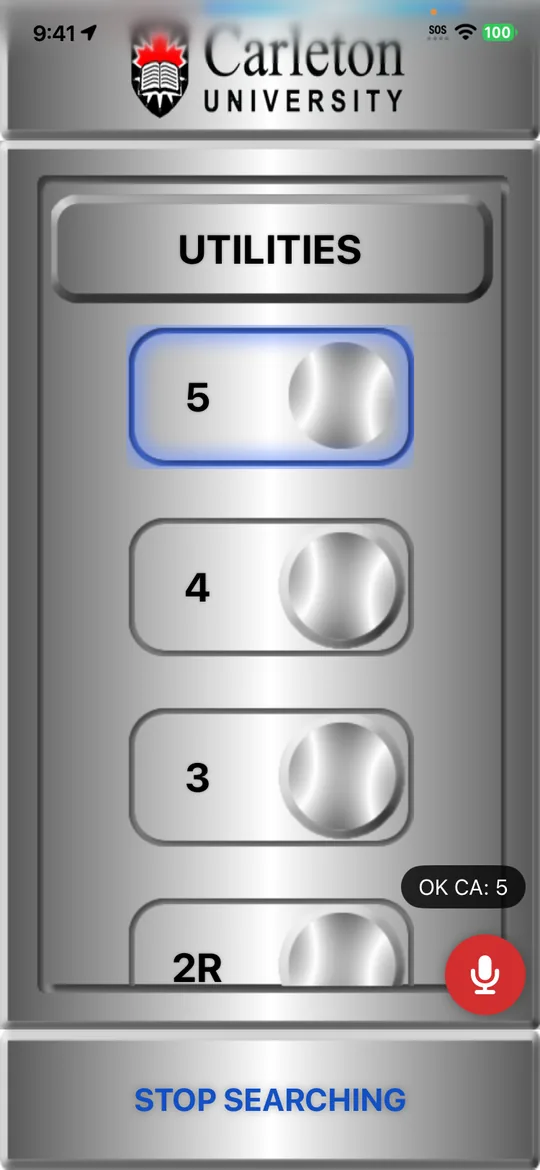
An iPhone at Carleton University: floor buttons with floor 5 highlighted and the voice label “OK CA: 5” beside a red microphone button.

Speak

Say “OK CA”, then the door or path. Your phone's own speech recognition does the listening.

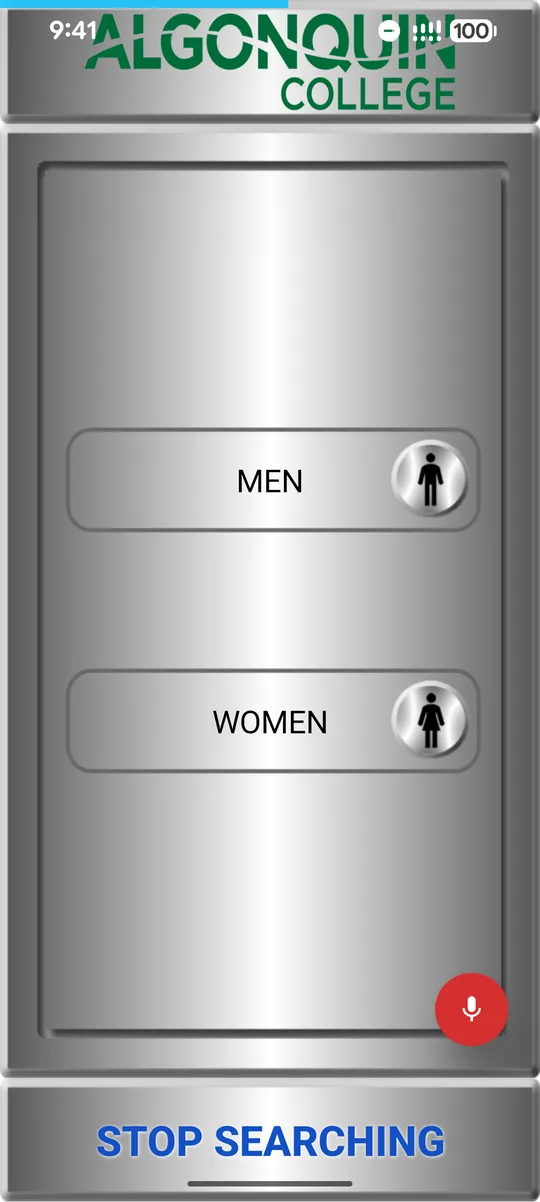
Door screen on an Android phone at Algonquin College, with large Men and Women washroom door buttons.

Arrive

With Auto Doors, your doors open as you arrive.

How CA Secure helps

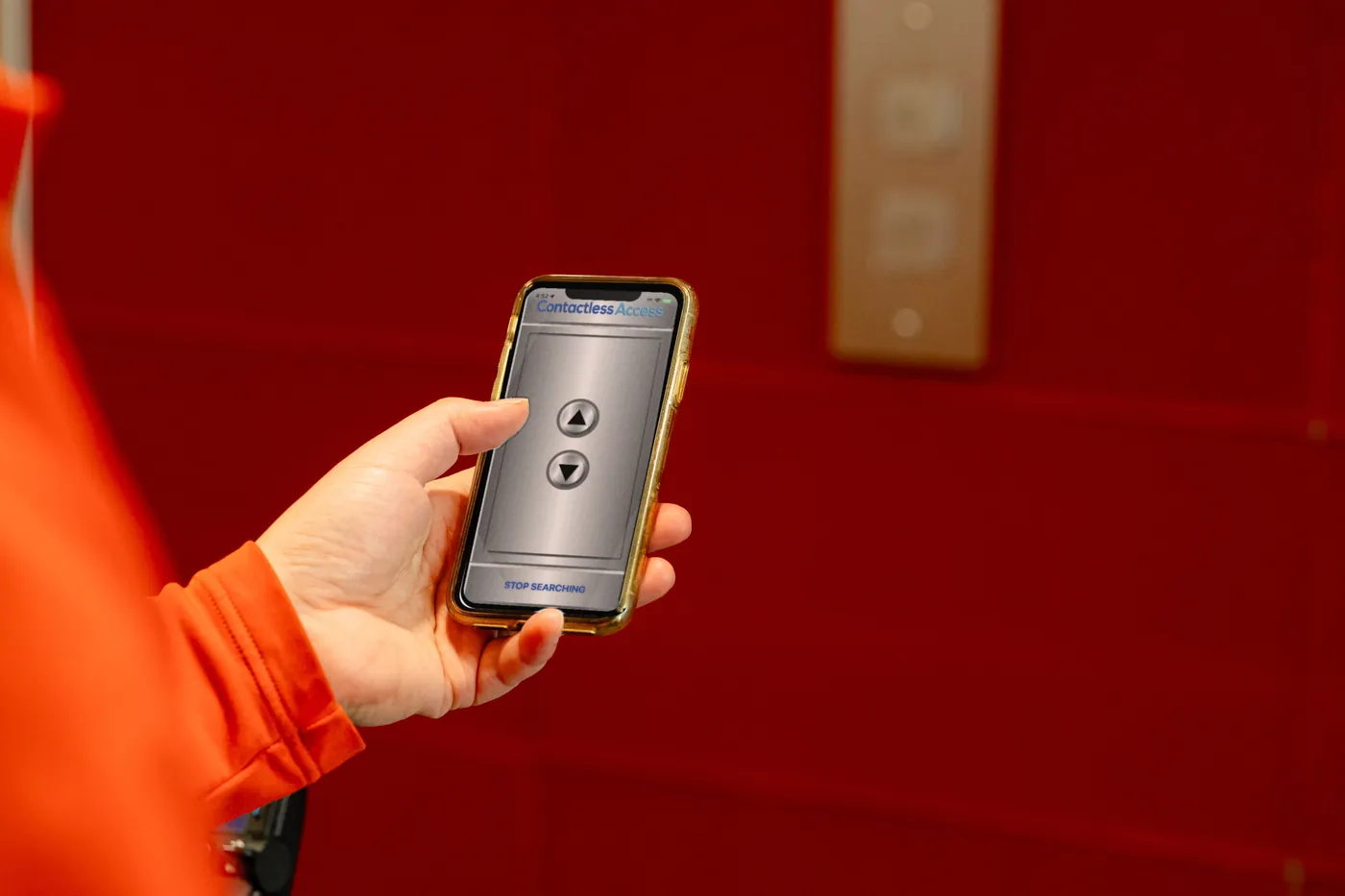
Close-up of a hand holding a phone with CA Secure showing large up and down elevator call buttons.
Elevators

The whole panel, in your hand.

Call the elevator up or down, choose your floor, and use door open, door close, the emergency phone and the alarm. CA Secure talks to the Contactless Access device over Bluetooth, and the real button is pressed for you.

Paths screen for Protodev Office, with an Exit path and an Office path, each with its picture.
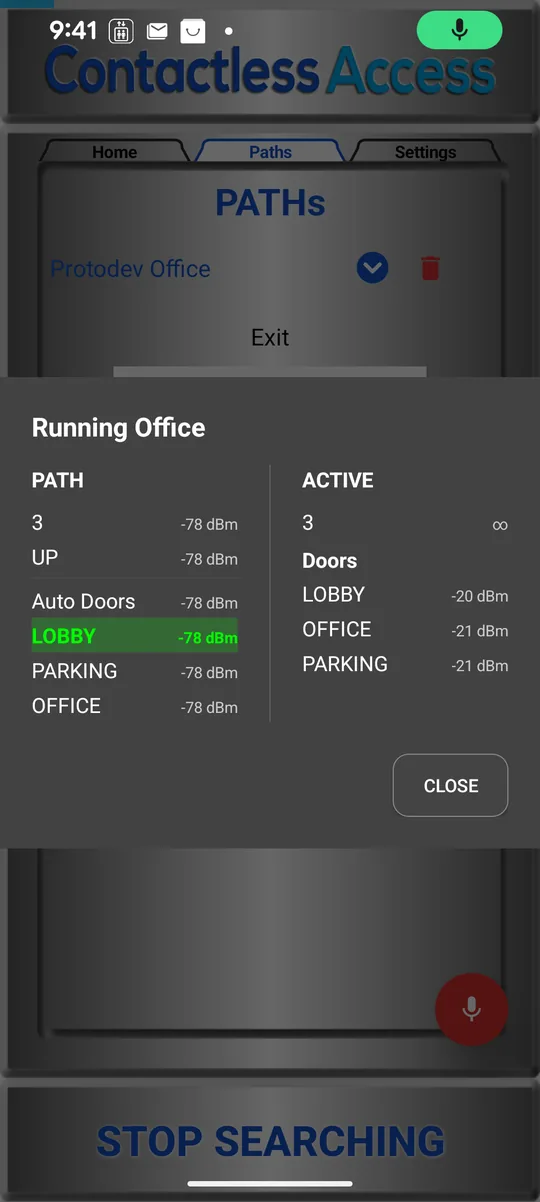
A path running: the Office path shows each step and the doors it found.
Paths

Your whole route. One tap.

Open a series of doors and elevators in order, from the entrance to your apartment or office.

  • Start from the app, a home-screen widget or your voice
  • Run automatically as you arrive
  • Make a path on the fly, or share it with someone
  • Get a building's paths when you walk in
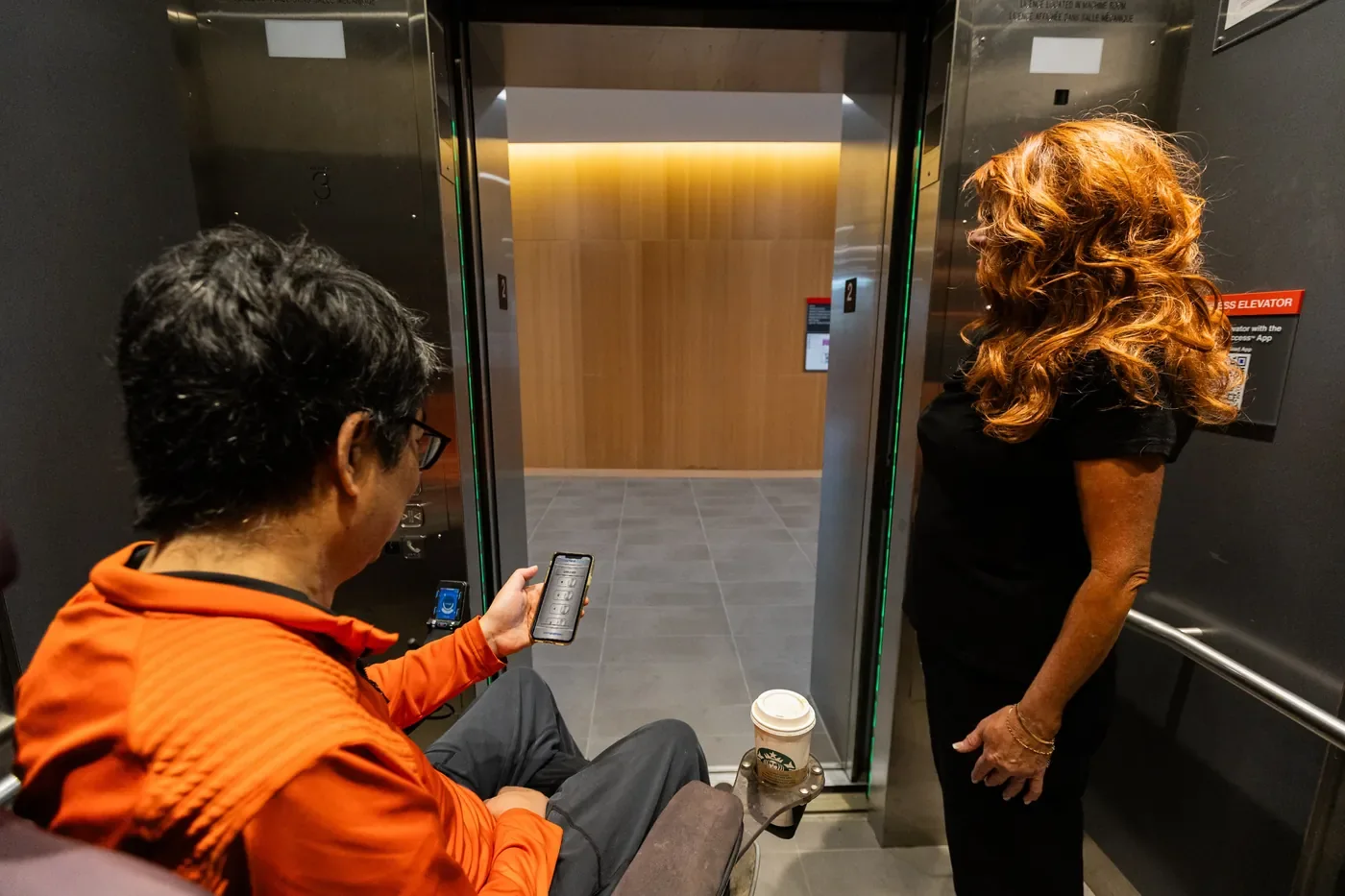
Inside an elevator, a man in a wheelchair uses CA Secure as the doors open onto a lobby, beside another passenger.
Doors and transit

Doors that open for you.

Open accessible doors, from the building entrance to the washroom, and press transit buttons like Next Stop. CA Secure lets you know when you're near a Contactless Access building or station, and shows it under the building's own logo.

Accessibility

Designed for everyone. Especially you.

Made for people who find buttons hard to reach, press or see: people who need enhanced accessibility, people with limited hand or arm movement, people with low vision, and anyone with their hands full.

High contrast mode on an Android phone at Toronto Pearson Airport: door open, door close, emergency phone and alarm buttons in black and white with bold outlines.
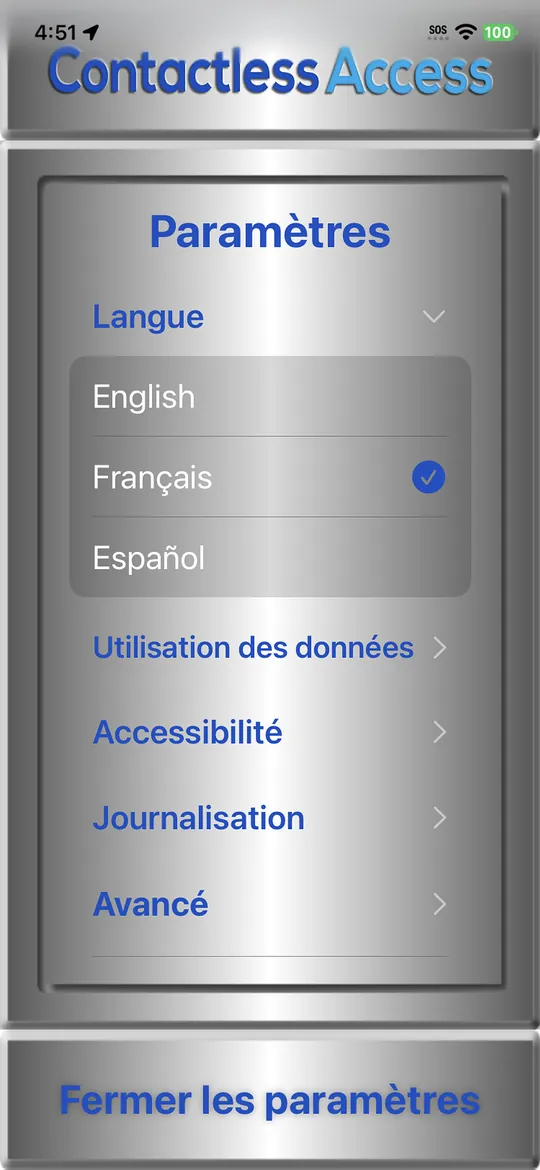
Settings in French, with English, Français and Español to choose from.

WCAG 2.1 Level AA

Built to the web's accessibility standard.

VoiceOver and TalkBack

Every screen works with your screen reader.

High contrast

On by itself when your phone's contrast setting is on.

Text up to 200%

Follows your phone's text size.

Set up your way

Choose voice, contrast, screen tabs and more as you set up.

Works sideways

Use it with the phone on its side, in a holder.

Home-screen widgets

One-tap access without opening the app.

Three languages

English, French and Spanish.

Nearby alerts

A notification when you're near an installation.

Share paths

Share yours, or get a building's on entry.

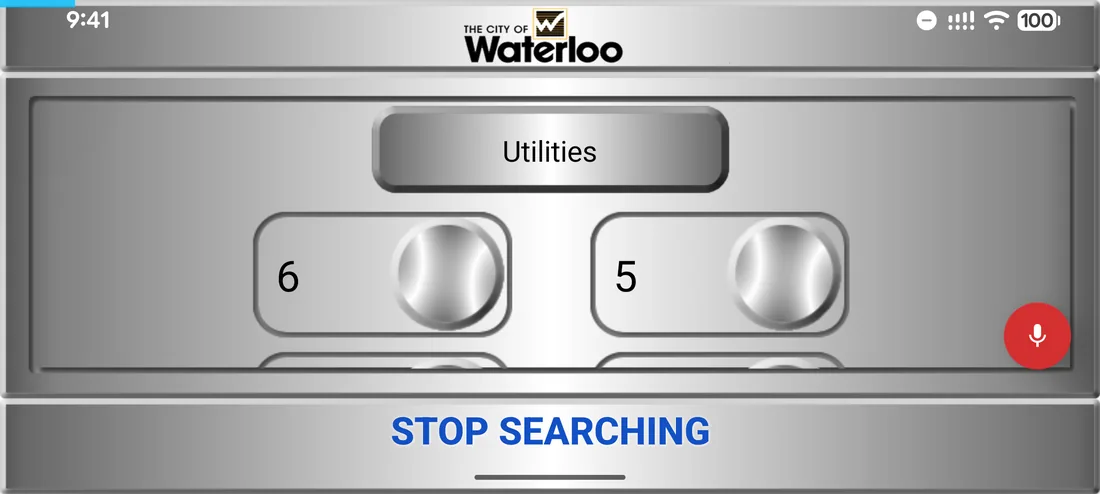
CA Secure sideways on an Android phone at Waterloo City Hall: floor buttons 6 and 5 side by side under Utilities.
Sideways too, with Allow landscape on.

CA Secure brings the Contactless Access and CA PATHS apps together in one.

Access Control · optional

Secure doors. With the security each one needs.

Some buildings use secure doors that only approved people may open. CA Secure handles those too, with two-factor checks, biometrics and rules set by the building.

For the person

  • Access arrives by email link or QR code, with no account or password
  • Protected by a one-time SMS code to your registered phone number
  • Extra-secure doors also ask for your fingerprint or Face ID
  • Works at the door even without internet

For the building

  • Give access to one person or a whole list from the web admin
  • Set dates, hours and days, and withdraw access at any time
  • An access log of every press, with unrecognised phones flagged
  • Security accounts for just your site, building or doors
Who it's for

Independence for people. Accessibility for buildings.

A smiling man in a power wheelchair inside an elevator.

People who use it

Buttons that come to you.

  • People who need enhanced accessibility, and anyone who can't easily reach a button
  • People with limited hand or arm movement or strength
  • People with low vision
  • Anyone with their hands full, or who prefers not to touch

Disability organizations and DEI teams: tell us where CA Secure would help your members or staff.

Talk to us
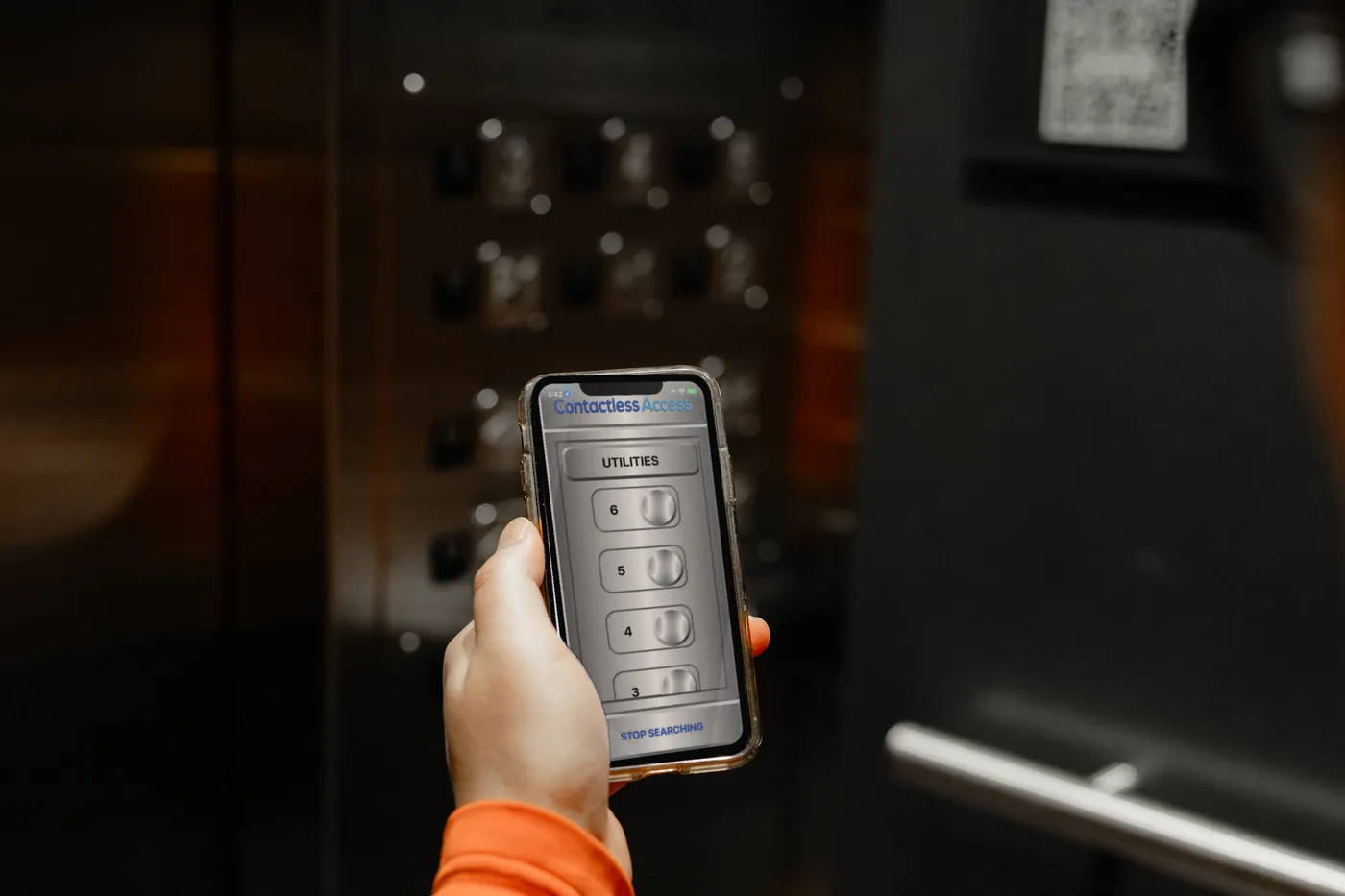
Inside an elevator, a hand holds a phone showing CA Secure's floor buttons beside the car's own button panel.

Building owners and managers

Accessible, without replacing a thing.

For residential, office, college, hospital and university buildings and transit stations, with their accessibility, facilities and security teams.

  • Make the doors and elevators you already have accessible from a phone
  • Add secure doors when you need them
Bring it to your building
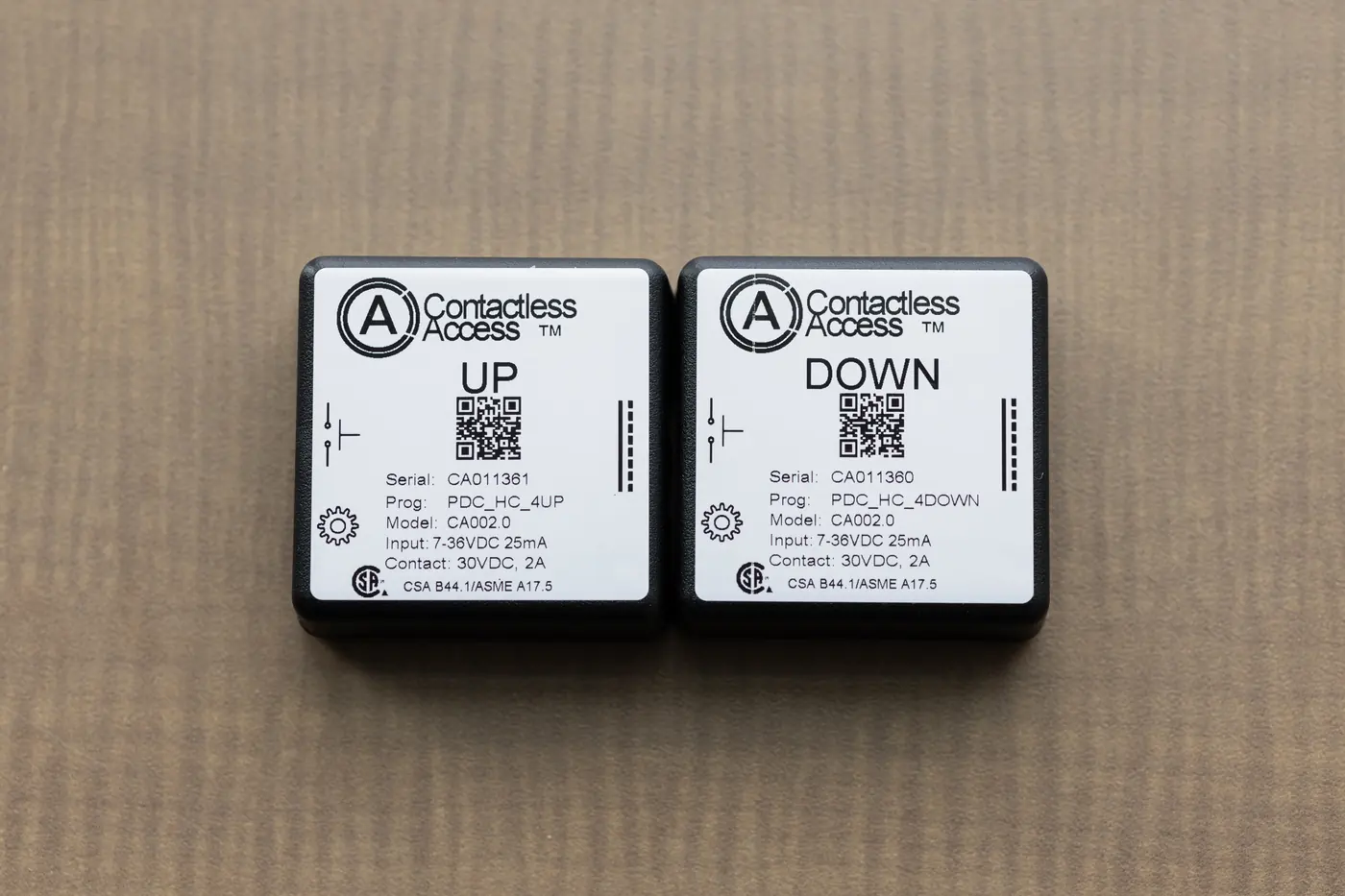
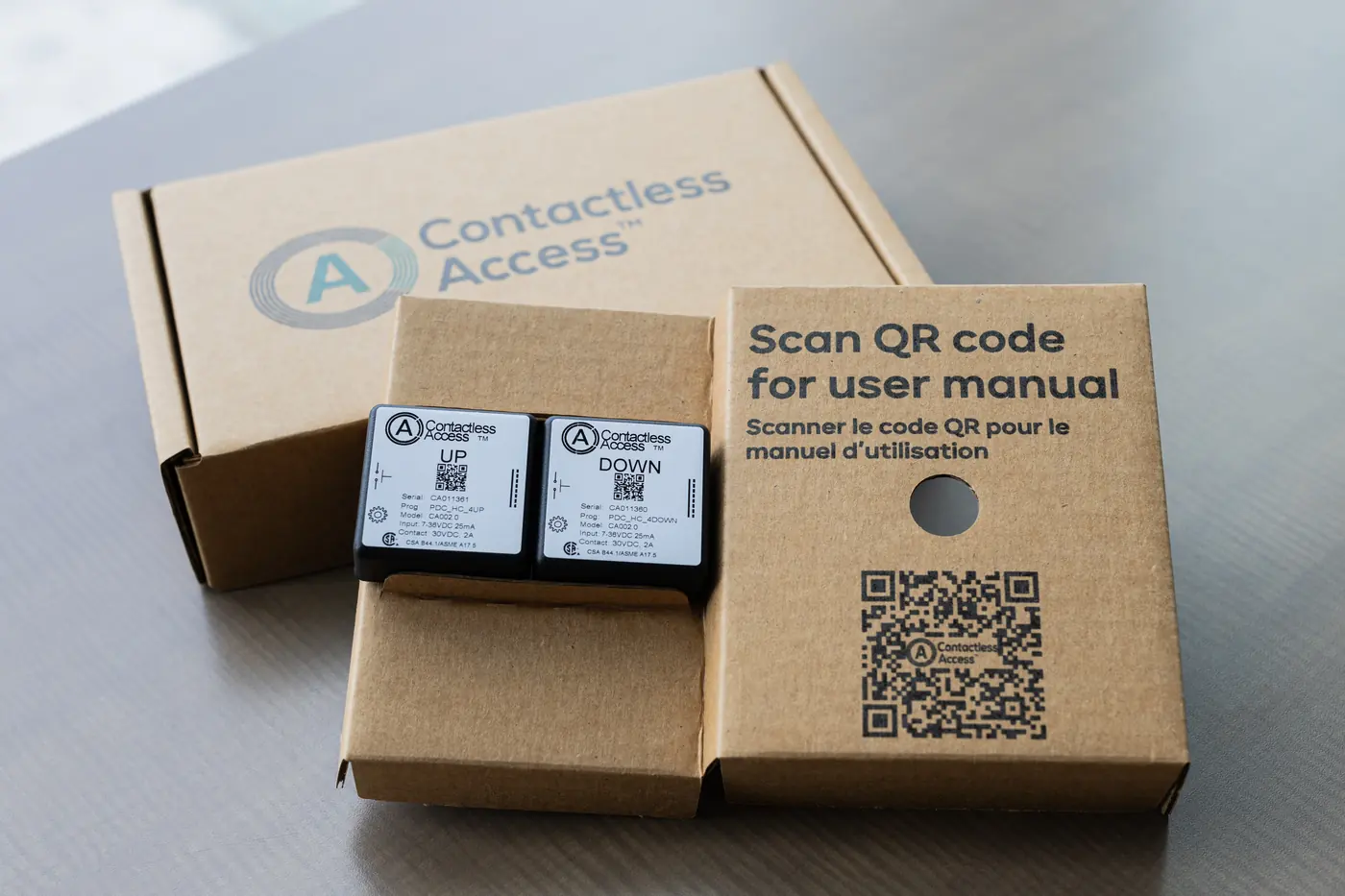
Two Contactless Access devices, labelled Up and Down, on their box with a QR code for the user manual.

Elevator and door companies

Phone control for what you install.

Install Contactless Access devices on the elevators and doors you look after. They connect to the existing buttons, which keep working as normal.

Every device is tested in production and tracked to the elevator car, floor or door it's installed on.

Talk to us
Two small Contactless Access devices, labelled Up and Down, each with a QR code and serial number.

Small device. Big difference.

A Contactless Access device connects to each existing button, so the building keeps working exactly as it does today, for everyone. CA Secure simply gives every phone a way to press it.

Professionally installed, tested in production and traceable to where it's installed.

Privacy

We collect nothing about you.

It's completely voluntary and up to you: you can use CA Secure without any personal information whatsoever. No account, no ads, no tracking. Secure doors and app logs are optional, and many secure doors just need a QR code.

No account or sign-in
Location stays on your phone
No ads, no tracking
We never sell information

Read the privacy policy ›

Bring CA Secure to your building.

Talk to us about Contactless Access for your doors, elevators and transit, or about CA Secure for the people you serve.